Booking.com

Showing posts with label photography. Show all posts

Monday, November 09, 2026

Review: Sony A72C2 with Sigma 20-200

 Muyuan Li, who's a much better photographer than I am, told me one day that he wouldn't buy a camera anywhere except in Japan. Well, I was going to Japan that summer, so I asked him for recommendations. He told me that my best bet was the Sony A7C2 with the Sigma 20-200. Indeed, the all-in price of the package in Tokyo was about $500 off the US pricing, and because of the deal I got, I ended up with the Sony 28-60 lens as well. To be honest, however, I should have just bought the package in the US prior to going to Europe and forgone the savings, because the Alps is so much prettier than Japan and when I look at the photos I got out of the Ricoh GR3, I think I should have just had a better camera while I was in Europe.

In the past, I've always avoided super-zooms, since they had a reputation for low image quality. The modern approach (which the Sigma 20-200 uses) is to not worry about distortion and correct it in software rather than trying to make the lens optically perfect. That allows the lens to stay pin sharp. When I got the 20mm I thought that maybe I wouldn't use the wide end that much. I was very wrong. It turns out that the past 10 years, smartphone cameras have defaulted to 24mm equivalent lenses for their main cameras, and 18mm lenses for the wide angle, so we've all been trained to these lens widths for viewing through the world. If anything, I'd say that a 15-150mm would have been a better fit!

As for low light, the Sony A7C2 is outstanding. In the past, I avoided shooting anything worse than about ISO 400 or so on my digital cameras. For the Sony, I've shot at ISO 8000 with results that still look really nice even blown up on a big screen. Yes, if you want that perfect shot you still have to carry a tripod, but to be honest, the reason for switching out all my old gear for the Sony A7C2 is to reduce weight, and this package delivers.

The thing I had to get used to is the camera demands much faster storage than the older cameras I used to use, so I had to buy a new SD card to go with it. For still photography it doesn't matter much: the camera has a giant buffer and will happily let you shoot while it writes in the background. But if you shoot a video and then immediately want to shoot a still photo, the camera locks up and refuses to shoot any more photos until it's finished writing. If you're a demanding videographer you'll probably need a V60 card. I bought a SDXC U3 V30 card and it's been more than good enough.

The ergonomics of the camera and lens combo is great. The lens has a zoom lock button that lets you clip the camera to your belt using the Spider Holster kit and while you're walking the zoom will not keep creeping longer and longer until it slams against your knee. Yet, when you're in a hurry, and draw the camera into shooting position and start zooming, the lock button automatically unlocks smoothly and you can just shoot! The dials take some getting used to for a former Canon shooter, but I got used to it fast enough.
In short, the A7C2 with the Sigma 20-200 is the package for the active traveler who's not a dedicated photographer. In those cases you want a lightweight package while not compromising on photo quality and you will shoot a lot more pictures if you only have one lens rather than swapping lenses all the time. I still use my Pixel camera for long exposures and in-camera panoramas, because I'm not carrying a tripod. But even in those cases if you can find something to brace the camera against you can get results that are clearly superior to a smartphone's. (Below was a 1.3s exposure, braced against a bridge)


Friday, October 30, 2026

July 15th: Shinjuku and Shibuya

We had 2 goals today, which was to buy a new camera and going to the pokemon center. After breakfast, we went to the local subway and bought subway tickets. We got up so early that Yodabashi Camera wasn’t opened yet, so we went to Shinjuku Chuo park and explored the park. Even so, we still ended up waiting about 15 minutes in front of the camera shop before it opened.

When the camera shop opened, I tested both the Sony A7C2 with the Sigma 20-200mm lens, along with the Nikon Z52 with its 24-120mm lens. The Nikon was a few hundred dollars cheaper than the Sony, but when I shot the cameras with my own SD card and then compared them in lightroom on my laptop, I decided that the extra 4mm of wide angle was more valuable than the nearly imperceptible difference in image quality as well as the longer reach at the 200mm end. The Sony A7C2 with the 20-200 was also lighter by about 276g, which is more than half a pound difference. The difference wasn’t magic—the Nikon 24-105 was an F4 constant aperture lens while the Sigma degraded quickly to F6.3, which is more than a stop and a half. However, modern cameras perform well even with the ISO set to 12000 (which would have been inconceivable on any of my now ancient cameras) so that was a wash. What really made an even bigger difference was that the A7C2 had a 33 megapixel resolution, which meant that I could crop out 50% of the photo (effectively extending the reach of the 200mm lens to 400mm) and still get an 16 mega pixel image! I got a quote from the salesman, and then we went to the video game section of Yodabashi camera to shop for video games while waiting for Map camera to open.

Yodabashi’s video game store was disappointing. Boen found Pokemon Pokopia at a good price, while I got a copy of Soras for the PS5 at a discount from USA prices, which I shouldn’t have because I later found used copies at even better prices. When Map camera opened we went in and indeed got a much cheaper quote from them, but then they told me they didn’t have international versions of the Sony A7C2! Disappointed, we went to Fuunji Shinjuku for their dipping ramen. There was a line out the door, but we finally figured out that what we had to do was to go into the store anyway, and use the machine to order food. When the food was ordered we’d get tickets to hand over to the servers. What this meant was that as soon as one party left, the next party was immediately seated and the food was already ready and served! That meant that while the line was long and the restaurant tiny, turnover was rapid and we were seated and eating within 30 minutes!

After lunch, I queried ChatGPT, detailing my disappointment with the prices at Yodabashi Camera. ChatGPT replied that BIC camera had a deal where the A7C2 (international version) bundled with the 28-60mm kit lens was on sale for less than Yodabashi’s body only price. In addition, there was a 5% coupon available online which would stack with the body and the Sigma 20-200mm so that the total package price made it not worth it to stop by Map camera for the lens and then walking over to BIC. It was already very warm when we got out of the restaurant, making Boen insist on buying an electric fan from Yodabashi camera on our way to BIC.

At BIC camera, the salesman walked me through all the steps to get the coupon, and helped me pick out a circular polarizer and a screen protector for the camera. The circular polarizer is the one last filter that you end up buying, useful for removing reflectance from vegetation as well as making rainbows look better. 81B warming filters are no longer required since you can just adjust the white balance in Lightroom. As a matter of curiosity, I asked how much the international version of the Nikon Z52 would be and he told me that Nikon Z52s in Japan never came with an English menu. What you would have to do was to buy the camera, and go to the Nikon service center and pay a fee to get the English firmware installed! That confirmed for me that my decision was the right one. I bought the camera, got out my passport and got an exemption from the sales tax right on the spot.

While we were there, Xiaoqin found some cosmetics at a good price, and we also bought floss for the kids—they’d forgotten to pack their floss. After that it was time to visit the Pokemon Center Shibuya. Boen, however, announced that he had lost his subway card! This was a big headache, and necessitated us visiting no more than 3 different places in the subway station before we found someone who could talk to the station manager to cancel the lost card and do all the paperwork so that we could buy a new one tomorrow! Boen’s card was special since it was a half priced card so unlike an adult card, same day replacement was not possible.

With that ordeal out of the way we visited the Pokemon Center. The place was a zoo! It was completely crowded. It’s clear that Pokemon was a global phenomenon and we could see lots of tourists browsing all sections of the store, and the checkout line was super long as well. Boen’s goal was to buy lots of stuffed animals and it took all our parental authority to not have him fill all of our carry on luggage with stuffed animals. We checked out and everyone was exhausted, so it was time to go back to our AirBnB.

Bowen wanted Sushi and we were done with subways. We ended up at Sushi Kaoru, which when it opened was not crowded. After dinner, we stopped by the supermarket to buy real supplies for breakfast, including dessert and ice cream and went back to the AirBnB to relax and get some sleep. The AirBnB was equipped with a washer but not a dryer, so what we had to do was to do laundry after showering, and then turn the shower room into a drying room since it had a vent and you could actually set it up to reduce humidity and then close the door.


Thursday, February 27, 2025

Review: EOS EF-M 55-200 4.5-6.3 IS STM

 The thing with the Pixel Pro 8 and 9 is that the phone cameras are now so good that pulling out a bigger mirrorless camera is more cumbersome while hiking. On top of that, the dumb camera makers took out what I consider essential features like GPS-tagging, so I felt punished every time I took a picture, got home, and then wanted to know where that photo came from. For an experiment I tried using the Canon Connect app to log a hike and map it back to the photos using a plugin, and it ate up a good 50% of the phone's battery for a 5 hour hike!

For anything beyond the 5X optical zoom on the Pixel 8 Pro, however, the EOS M5 still had a purpose, but I wasn't enjoying carrying the bulk of my EF-S 55-250 plus the EF-M adapter! I thought about buying a whole new camera and setup, but of course, newer cameras aren't supported by my Lightroom 6 perpetual license, and nothing is easily available for less than $2000, which is quite expensive for something that gets used only for special occasion.

So I bit the bullet and bought an EF-M 55-200 from eBay. It cost $255, which felt expensive for a used lens, but after selling the EF-S 55-250 for $100 on eBay, it didn't feel too bad. I ended up saving 240g for about $155, and the reduced bulk also made the camera far easier to carry on a Peak Design Camera Clip. 

The lens is sharp and the resulting photos are very impressive. Some day I may upgrade my camera gear, but as one of my friends pointed out, the EOS-M setup is probably the most bang for the buck today in photography gear, mainly because it's been orphaned! 


Friday, July 21, 2023

2023 Banff National Park: Helen Lake

I'd pulled the Helen Lake hike out of some list of hikes to do in the Banff area. Just the drive to the trailhead was beautiful, with us stopping by Bow Lake for some gorgeous still water mirror shots.

The trailhead itself looked uninteresting, just a roadside parking lot with a rest room but not much else --- it lead into a forest, but the promise was of course for plenty of climbing to do. The initial climb was wooded and not much in terms of views, but as you get higher the trees thin out a bit and now you get great views of the glaciers surrounding the area. We met a group of 5-6 chinese people from Calgary --- their intention was to hike all the way to the pass. They assumed we were going to do the same and cautioned us that it was a difficult hike for the kids --- they were nonplussed when we said we were only going to Helen Lake.
As we got up above the treeline we met a pair of hikers who told us that the mosquitoes were really bad at the lake, and rather than eat lunch at the lake or at the waterfall we should eat lunch near where we met them. We had already put on insect repellent after I'd gotten bitten a couple of times, and didn't want to get more mosquito bites so we took their advice.
The waterfall was gorgeous, and a lot of fun, and there we were joined by a backroads tour group. The Backroads tour do similar things to what we do, but charge $4000 per person for a 6 day trip. In exchange you get a guide and a group of friends to slow you down. I was kinda surprised that lunch didn't appear to be included, as each hiker was packing and carrying their own lunch. 
We spotted mountain marmots and got in close enough to take  picture that didn't entirely suck. From there it was a short walk up to the lake. The lake was a gorgeous tarn that was still enough to reflect the surroundings. We were well above the treeline but the mosquitoes were very aggressive so we did not stay long.

We turned around and hike down, and the views were completely different from the hike up. The view of the surrounding peaks in the soft early afternoon light took our breath away. Bowen and Boen asked to drink the water from the waterfall so I got out my water filter and we refilled the bottle. It was good water.

We still had plenty of time, so we drove all the way back to Banff, stopping only to return the hiking sticks since we anticipated not needing it the rest of our stay. There in Banff, we found a place that served Fondue, and ordered 3 dinner entrees to share. It was yummy after the long hike.


It started drizzling after dinner so we didn't stay to explore much, as everyone was suffering the symptoms of footsoreness after 2 days of back to back hikes. We got back to the Lake Louise Inn for a short swim and then I did laundry.


Friday, September 30, 2022

Review: Amazon Basics Medium Point and Shoot Case

 The worst part of the Ricoh GR3 is how fragile it is. I've had to send it in for a repair nearly every year. One of the damage was caused by my rough handling of the camera when it was in the Black Widow Holster after a hike. I decided then that I needed a more protective case for the camera during the trip. While cycling you don't need a case, since the camera is either in the jersey pocket or in the handlebar bag. But when hiking, it's no big deal to have to unzip a case to get out the camera, so I opted for the cheapest I could find, which is the Amazon Basics Medium Point and Shoot case.

The case fits the GR3 snugly, with an extra pocket for any additional accessories you might need (spare battery, etc) which I didn't use. It's a tight fit, but getting the camera out quickly was never a problem, and putting away the camera doesn't take extra care. I expect to break the zipper sooner or later, but at $10 a case I've already gotten good use out of it.

Modern travelers will probably never go to the trouble of carrying a separate point and shoot camera. I find it's worth it to get good captures of places like the alps, so I'd recommend going to the trouble of getting something like the GR3 and a protective case for hiking around.


Monday, February 14, 2022

Review: Pixel 6

 A variety of circumstances (both security related) led my wife and I to both end up with Pixel 6. First, Boen locked himself out of his Pixel 3a. Due to Factory Reset Protection, the phone became worthless and useless, since even after a factory reset the phone required him to login using his previous screen pattern. This is the well known, "too much security" problem. But BestBuy had a T-mobile Pixel 6 available and was willing to take in the Pixel 3a for a $180 discount on an already $50 discounted Pixel 6, so we ended up with a Pixel 6 for a little more than $400.

My S9+ has served me faithfully for more than 30 months, but the battery had been going downhill. More than that, I was 6 months away from the end of security updates. Prior to working on security, I'd never been a target, but since I now reported into a security organization, I decided to play on the safe side. I would default to one of the latest Galaxy Phones, but in the intervening 2 years, Samsung has seen fit to remove both the headphone jack and the microsd slot on their S models.  They also got rid of MST payments, so you couldn't use the latest phones on mag card readers! The latest one that had a microsd card slot was the Galaxy S21FE, which Arturo had. But over the holidays I couldn't get Samsung to give me a reasonable trade-in value for my S9+, so when Google's store offered me $215, I jumped on it for a 256GB Pixel 6. The Pixel 6 Pro wasn't under consideration because the worst feature of the S9+ was the curved screen. Unfortunately, the experience of trading in at the on-line Google store was much worse than going to Best Buy during a pandemic: it took weeks for Google to even receive the product, and more delays while they evaluated the phone.  They did eventually grant me my $215 trade-in, despite all the horror stories about people turning in a perfect phone only to be denied their credit. Given a choice between a BestBuy trade in and a Google one, the BestBuy trade in is much faster and easier.

There are many web-sites devoted to covering various features of the Pixel 6, but I'll focus on the experience of someone upgrading from a 3 year old phone. First of all, the bluetooth connectivity for the Pixel 6 is definitely far stronger than that on the S9+. I was really surprised by this. On the S9+, I learned to keep the phone in the same side pocket as the headphone ear piece I was using, and even then I'd occasionally get a cut-out when I was cycling. On the Pixel 6, I could put the phone in any pocket I wanted. Inside the house, I could roam far away from the phone and not get it cut out.  The latency between when I inserted by Jabra Elite 65 into my ear and the phone being connected (especially when answering a phone call) is also much faster than the S9+, and makes the experience much better than before, which was a pleasant surprise. The S9+ was also very aggressive about killing apps, so much so that I learned to manually start the audio app I wanted each time I used it. This was despite my S9+ being the 6GB RAM/128GB storage model, another reason I didn't go for the S21FE. By contrast, the Pixel 6 seems very willing to use all 8GB of RAM at its disposal, and auto-resume always correctly picked the right app to resume playing audio from on bluetooth connect, android auto startup, etc.

Lots of people complain about the size of the phone. I actually like a big phone, and the voice recognition on the phone is such that for typical one-handed tasks (like dialing a number) I don't even usually touch the screen. Where that falls over is for switching between audio apps, where sometimes the system will ask me to unlock the phone in order to start an app.

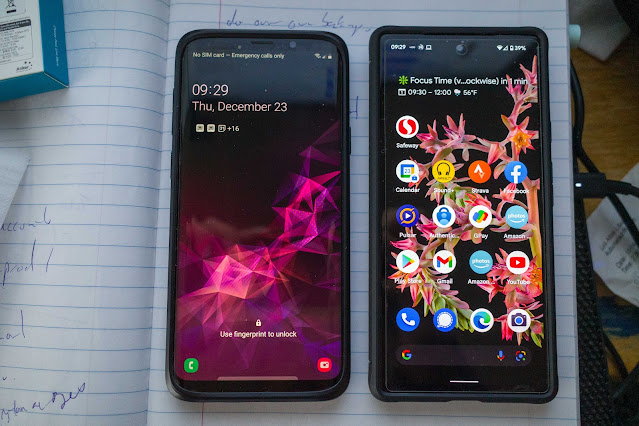
Similarly, it's nice not having any duplicate apps, and having to disable bixby, etc. Size-wise, the phones were actually similarly sized:

The Pixel is actually just a little bit bigger, despite having a much bigger screen, and the OLED display was also significantly brighter. It's unfortunately also heavier and wider, and I feel it in my pocket in ways I didn't feel the S9+. What's not so nice is the fingerprint reader. It works, just takes a little longer than the physical fingerprint reader that was on the S9+. Though again, the latest Samsung phones have also switched to an in display reader!

After I copied over my SD card to the Pixel, I had about 150GB left. Since I'd deliberately not copied any of my photos over, it was clear to me that the 128GB version of the phone would have been too cramped, since just after another month of installing apps and taking photos, I've used already 2GB. Since the base model came with 108GB free and I'm already using 108GB, I'd say that if you have the habit of using an SD card with older model phones, the base model is insufficient for daily use, let alone an extended period of travel, where you might download videos and shoot a lot of photos and videos while traveling. I immediately turned off Google Photos sync installed Amazon photos and got my already-paid-for unlimited full resolution storage. Google photos have very nice features, but none of them justify paying for cloud storage. By the way, if you run your phone at 100% capacity, you're going to wear out the storage system faster, since wear leveling partly depends on having free space for the leveling to happen!

In terms of interaction, the phone behaves much faster than the S9+. In particular, there's much shorter lag time when I double-press the power button to bring the camera up. This is a big deal since a major use case for the smartphone camera is the ability to shoot while cycling, and the less time you're riding with the camera pointing at a scene/action while trying to get a picture the better. Despite all the raves about high refresh 90Hz screens, I did not actually notice any difference in day to day use. In fact, I've turned off the 90Hz screen so I get better battery life since I didn't notice it at all. (Incidentally, this is one reason I decided I could live without a zoom --- when you're looking for a camera to use while riding a bike you don't need a zoom!)

By far the best feature of the Pixel phone, however, are the features related to voice and phone calls. I spend a lot of time waiting on the phone on hold. I tried hold for me and it worked. Then the next few times I got phone calls from someone I didn't know, I tapped the "screen my call" button, and the spam caller hung up (which let me know to immediately block the number!). When calling an automated dialing system, "direct my call" popped up and I got a transcription of the phone menu. I know I'm probably the last person to actually use telephones to make phone calls, but these 3 features alone were well worth switching over to a new phone for.

OK. Everyone raves about how good Pixel photos are. But what I notice about most reviewers is that they review the photo directly on the phone's screen, instead of looking them on a big 4K monitor. Phones have great screens, because that's what sells phones. But camera manufacturers sell cameras to photographers, so they save money on the bill of materials by putting in a relatively cheap screen. So if you compare a dedicated camera and a smartphone side by side when you take photos, you're going to think, "The phone shoots so much better photos than my dedicated camera. Computational photograph for the win!" But after you get home and look at the photos on a large 4K screen, you'll discover, as I did, that the dedicated camera is quite obviously better than the smartphone, even without fancy multi-frame HDR software pinning technology. Keep in mind that a 12 megapixel image (like that from the Pixel 6) is only barely good enough for a 4K monitor. Any improvements in monitor resolution will make it very clear that "barely good enough" in 2022 will no longer be good enough in 2026. In any case, I've on occasion been impressed by a Pixel photo, but for any kind of travel, or even routine capture, I've never regretted pulling out my Ricoh GR3 or EOS M5. Most of the photographs you'll see on my travel comes from a real camera, not a smartphone.

One particularly bad feature of the Pixel 6 is the panorama mode. I usually expect panorama mode to at least produce a higher resolution file than the non-pano shots. But the panorama mode on the Pixel 6 not only produces awful results, but stores the same resolution as a single picture. The results are awful and not worth your time. Better take individual shots and stitch them with hugin or Lightroom.

The quick UI for the phone works, and works fast: double-tap on the power button to activate the camera, and then shoot using the volume down button. The counter-intuitive part is that if you hold down the volume down button, instead of shooting in burst mode like a real camera, it starts shooting video instead! There's no way to reconfigure the phone to use burst mode, so I've learned to make do. In theory you can export frames from the video, but that's a total pain --- you have to use the Google Photos app and export the frames.

Pixel phones come with a voice assistant that's supposedly leaps and bounds ahead of everyone else, especially since supposedly the Tensor processor on the phone is designed for language processing. In practice, the hardware can't live up to the software --- frequently it'd miss the wake word, or I'd have to say "stop" a couple of times before the timer stopped, for instance. Despite training the language model, it misunderstands me a lot more often than I would like, and using the voice assistant via bluetooth headset frequently annoys me with the "you have to unlock your phone before you use this feature." The entire point of a voice assistant is that the phone stays in my pocket while I talk to it. Transcription accuracy is also not much improved, though transcription speed is now quite good. The lack of sensitivity of the microphone is also highlighted in another instance: I watched Hamilton while the phone was sitting on the couch, and the "Now Playing History" feature of the phone remembered every song that was in that musical. But the next day, I saw When Marnie Was There with the phone in my pocket, and the phone had no memory of the ending theme song.

The Pixel 6 comes with guaranteed OS updates until October 2024, and security updates until October 2026. That's a good window, ensuring that you're likely to trade in the phone long before that happens. (More than likely, the phone would have been broken or stolen before then) I don't usually care about software updates --- frequently, the UI changes just so someone can get a promotion, but the security updates are welcome, and obviously there will be bugs that I'd like to see fixed, as well as possible improvements in voice recognition and other tweaks to eliminate annoyances such as the need to unlock the phone for certain activities that voice assistant should just take care of.

For the prices we paid with the excellent trade-in values we got, this was a good phone. I'm still very annoyed that Samsung got rid of headphone jacks and micro-sd cards, which is how I ended up with the Pixel 6 (the Samsung A  series phones still have those features, but they weren't offering good trade-in values so we ended up paying less for the Pixel 6 than we would have for the A52 5G, which had a much worse camera and of course Samsung bloatware). Now that the holidays are over, you're likely to see even better deals for the Pixel 6, and if you find a good deal, it's worth taking a look at it. All in all, this is the first Pixel non-A phone that struck me as being good value compared to their Samsung counterparts, so it's also the first full on Pixel non-A phone that I would tag the recommended label on.

Monday, June 28, 2021

Chiluana Falls Backpack


 Arturo suggested Chilnualna Falls as a place in Yosemite that nobody ever considers for a backcountry camping trip, and indeed when I looked on the website I saw that the permit was available for Sunday, May 30th->May 31st. May 31st was memorial day, so we could easily make it. I got the backcountry permit and then got reservations at the Oakhurst Lodge for May 29th, so we could arrive the day before to collect our backcountry permit, and maybe do a day hike. In contrast to the previous year, when the ranger briefing was conducted over the phone, this year they wanted us to show up in person. Also, while the park entrance permit was good for 7 days, this year it was only good for 3!

On Saturday, we drove to the park. Arriving at the park entrance around 1:00pm, it took us until 2:30pm to clear the park entrance, a horrifying wait. The park ranger told us that for our entry the next day from Oakhurst, we should plan to be at the entrance by 7am, because the Wawona entrance was even more impacted! We got to the wilderness permit area just as we started hearing thunder, but the rangers were friendly and gave me the usual spiel about backcountry camping in Yosemite.

By the time I was done with all that it was 4pm. We drove to the mist trail trailhead, but Boen balked at doing the walk. Xiaoqin had also gotten some sort of food poisoning from her trip to the hairdresser on Friday, but Bowen talked Boen into taking the walk by carrying him for a few steps, after which he was OK.


We got to Happy Isles before they decided they were done and wanted to visit the hotel. Xiaoqin was feeling too ill to even walk much, so at the hotel we asked if she could stay an extra night instead of backcountry camping. The hotel manager said they reserved a room precisely for this, so they charged us an extra night.

The next morning I got the kids up at 5:30am, ate a quick breakfast and was on the road by 6:15, arriving at the Wawona entrance by 6:45am. There were 5 cars ahead of us, but when we got to the front gate we saw that it was a self-registration system with no one checking slow computers for permits, so we just drove straight through. It was much faster, and we arrived at the trailhead around 7:00am. I repacked the contents of my backpack for 3 people instead of 4, and then we embarked up the trail.

The trail already had people on it, but as we hiked past the stock trail intersection we stopped seeing many people. The trail was beautifully maintained, lined with shrubs with white flowers that were likely pollinated by mosquitoes. I started feeling bites and we stopped to put on sunscreen and insect repellant.
At a natural river access point, I hiked down to the river to get fresh water, and was horrified when at first my Katadyn BeFree refused to filter. I looked at the bottle and saw that it told me to swish the filter, so I took it out and did so and finally it produced water. Lesson learned: always bring a spare!

The hike up got warmer as we got higher, but not uncomfortably so. We were told by some hikers to eat lunch at a place with weeping walls, and it was indeed nice. They even gave us water!

It was a good call, because right after that we left the shade to climb the last 600 feet to the trail intersection signs. We all ran out of water then.

Lots of hikers coming down told us that there was great camping, including a site between the two waterfalls. But when I got there I saw that most of the sites were actually illegal, except for one, and it was already occupied. I finally settled for a spot that was barely hospitable, but was next to another spot that a couple of families that were camping, which was how I met Naomi, Naomi (there were 2), Ansel, Avi, Shoshana, and more people whose names I couldn't remember. I pitched the tent, fetched water, but the exposure was too much, so I took the hammock down and we went in search for a shaded place with views of the cascades.


In the evening, I realized I'd forgotten toothpaste, and offered to trade marshmallows to the other families in exchange for toothpaste. The kids were enthusiastic, and started a campfire in less time then it took for me to pee.

The next morning I woke up with a sore back but the trip down promised to be short and fast, so after a quick breakfast, we packed up and left around 7:45am. The hike down was gorgeous but we were soon reminded that mosquitoes were active.

The kids ate the rest of the marshmallows on the way down, and we took one last look at the waterfall before heading down to the parking lot and home.


Thursday, June 25, 2020

Review: Godox TT350P

I've been using the Ricoh GR3 on many of my adventures recently, and the lack of a fill flash on the camera started to bug me. Without a fill flash, many daylight pictures turn into a mess of shadows, which is only partially rescuable using Lightroom. Almost as importantly, the catchlights in eyes look which I love can't easily be achieved as well.

All the official Pentax flashes were too expensive and/or heavy for what I was trying to do, so I went looking for an unofficial solution. The Godox TT350P seemed to be extremely good value: it comes with a stand and a diffuser (something I've always had to buy for my Canon flashes separately), a case (which is useless), and a fully rotatable head (for bounce flash). The flash is heavy, however, about the same weight as the camera it would be attached to.

My first experience with the flash was disappointing, however, with clear flash artifacts that I wasn't happy with.  The results were inconsistent, occasionally over-exposing the photo, and occasionally looking as though the flash wasn't on. It's quite clear that Pentax/Ricoh's TTL integration isn't even close to what I was used to with Canon's, where simply dialing in a -2/3 or -1/1/3 flash exposure compensation would get you picture perfect results. However, the Lightroom "Flash" auto-correct setting did the right thing on occasion, and while the artifacts are still there if you know how to look for it, they're not completely unnatural:
And I got the catchlights back:
After using it on a few hikes and bike rides, I decided that the flash was just too big. If I'm doing a difficult trip, I'd rather use the weight budget on carrying more food, water, or the hammock. If I'm doing an easy trip, then I might as well carry the EOS M6 instead of the Ricoh GR3 and the flash. I reluctantly returned the flash.

Thursday, December 26, 2019

Review: Noric Flash Waterproof Camera Float

The biggest problem with a waterproof camera is that you want it to float when you're snorkeling and you want it to be neutrally buoyant when diving. The Nikon W300 as I learned to my misfortune a couple of years ago sinks. With that in mind, I bought the Nordic Flash Waterproof Camera Float. The package comes with 2 floats and two quick release buckles which you then attach to the camera's anchor/neck-strap points. Even though rated for 200g, it floats well enough when attached to the Nikon W300. The float is wide enough for an adult to slide all the way up past the elbows, and the quick release is handy to drop the float if you need to dive. (That's a good way to lose the float if you're doing so in open water, however!) Together with the float, the camera is bulky enough that it tends to fall out of the pocket of my swimming shorts, but fortunately I was always able to find it again in the swimming pool. I have reasonable confidence that if I ever drop the camera again while paddle-boarding I'll be able to find it again in short order, rather than watching it disappear into the depths.

Recommended.

Thursday, December 05, 2019

Review: Nikon W300

After losing our AW130 last year, I waited until May to replace it with the Nikon W300 this year for the Shasta Trip, but didn't use it all that much during the trip, so waited until this past snorkeling trip to review it.

The image quality and other attributes of the device hasn't changed much between revisions --- the zoom range is identical, as is the resolution, etc. I would review all those aspects, since I mostly only notice what changes.

First, the UI seems to have degraded. It's no longer easy to switch scene modes, but the camera seems to do a good job of selecting which mode to use so I'm not going to gripe too much. What's impressive though is the wireless connectivity, which used to upload downgraded photos via the Nikon Camera app. Now, a new app has been tasked with this, and it's called Snapbridge. This connects to the camera via Bluetooth, and now downloads full resolution pictures to your phone without having to open up the camera and pulling out the SD card. Usually by the time we returned to the hotel from a snorkeling trip all the photos have uploaded to the phone and are ready for sharing.

I looked around for other waterproof cameras and none of them have the depth rating (100') that the Nikon has, and I've had very bad experiences with waterproof cases in the past, so this is still the camera I recommend for divers and snorkelers.

Thursday, November 21, 2019

Review: Spider Holster Black Widow

For cycle touring, I tend to just carry my camera in my jersey pocket. I can reach it, grab the camera, turn it on while moving it to position, and shoot when in place. (It's much tougher to do that with phones because the latency involved and the awkwardness in getting the camera in place isn't great, but it's possible)

Recently, I've been mountain biking. With kids, I carry not just snacks, and a tire repair kit, but also a camping hammock. That means a backpack, which blocks access to cycling jersey pockets, so I've been making do with cycling underwear, and a belt-mounted camera case. The zipper'd case, however, is awkward --- in the time it takes to take the camera out, I might have missed the decisive moment. Worse, when I put the camera back, I have to take the time to zip it up.

The Spider Holster Black Widow looked promising. It comes with a pin which you attach to the tripod mount (they claim it won't interfere with the SD card or battery case, which is false!), and then you wear the holster on your belt. A retaining mechanism keeps the camera solidly in the holster, requiring a lever to be pulled while unholstering the camera (which is surprisingly doable with one hand). The clever part is that when placing the camera back in the holster, the snap-down mechanism pops right in, allowing you to do this with one hand. The entrance is wide enough and designed in such a way that you can get the bolt in 100% of the time.

I'm well aware of the alternate camera slings such as the BlackRapid. They work for running and hiking, but not biking, where the lack of an attachment will cause the camera to swing and hit you or get tangled in the bars. The various chest mounts are better, but my experience with chest mount is that you feel it all the time, especially if you're breathing hard.

In practice, the Hoslter works fine, but has a few characteristics that you might want to be concerned about. First, it offers no protection: I noticed my camera knocked against say, door sills if I walked too close. Theres' enough degrees of freedom that it won't break, but if you fell off your bike you could easily smash the camera against the ground. The second issue is that if you wear a T-shirt tucked out, there's a chance that when you want to reholster the camera, your T-shirt flaps over the holster, then you'll have to take an extra second to slide the pin under your shirt to plug it back into the holster.

Niether are major issues. The first solution is to use a rugged camera (TG-5) or just accept the fact (as I do) that if you want good pictures you have to risk good equipment. There's no two ways around it. The second is to tuck your shirt in.

The device seem sturdy, and can probably be used with bigger cameras than the compact GR-3 that I've been using. On the other hand, for one handed operation, none of the mirrorless cameras would be acceptable (they require a second hand to uncap the lens cap, and mountain biking throws up enough dirt that you won't want to ride with your lens uncapped). Certainly it's a good option for walking around town with a small DSLR or mirrorless camera while being a tourist. Recommended.

Tuesday, October 22, 2019

First Impressions: Ricoh GR III

My Canon G7m2 died during this year's Tour across Bavaria, but rather than replace it with an identical unit, I considered getting a Ricoh GR3. I'd seen the output from Mike's GR2 during my Spain trip, and it seemed to tick all the boxes:

  • Large sensor (APS-C) in a compact body
  • Full control (with 2 dials)
  • Fast startup time (0.7s!)
  • Fixed lens (28mm/2.8 35mm equivalent)
  • Lighter (257g vs 318g)
  • USB-C charge port!
Against that were several blemishes
  • Not 24mm (those 4mm at the wide end really make a big differnce, and for capturing photos while riding the 24mm means you can have less precision with framing)
  • No flash. Believe it or not, I can turn on the flash on the G72 while riding and shoot. But I'll admit to doing it rarely, and the weight savings is a good thing
  • Expensive. At $900, this gets into "serious camera" category, with APS-C interchangeable cameras being much cheaper. On the other hand, ILC cameras this small don't come with auto-on/auto-off lens caps, which is what the "shoot while riding" category comes in
I also considered the predecessor, the Ricoh GR2, which does have a flash and is $400 cheaper. But the image stabilization built into the GR3 was much more appealing for shooting while cycling. In the end, my brothers stopped my waffling and got me one for my birthday.

My first few moments with the camera had to do with relearning the interface: unlike the Canon, the lens ring is purely a mechanical cap for the bayonet mounted wide angle lens (which I will not buy --- it's too cumbersome!). The modes were nice, and I appreciated the little lock nub that prevents accidental knocking of the mode dial. That happened to me way too often on the Canon! I was, however, negatively astonished by how bad the Ricoh  Image Sync app is. Despite the camera having the hardware, bluetooth sync simply doesn't work. I tried Wifi, and it didn't work either! I've been appalled by Canon and Nikon's android apps in the past, but this takes the cake!

Set against that is that instead of having its own wacko proprietary RAW file format, the Ricoh GR3 outputs DNG files, which Lightroom 6 (the version I'm sticking with since Adobe wants their money-grubbing subscription fees for "upgrades"), and you can actually extract the Ricoh GR3 profile from the latest version of camera raw and just stick it into your Lightroom plugins folder and have it work!

OK. Enough about the niggling stuff. How do the photos look?

You can see that 28nnm is just that much narrower that you have to be more precise and shoot more pictures (and have way more discards) to have a chance of capturing the action that's happening int he back seats of the tandem.

OK, the LCD screen on the back doesn't make photos look as great as photos taken from a phone, but when you get the photos home and take pictures, you get the "WOW" effect that you never get with phone photos. Details pop, and with 24 megapixel you have room to crop.


It's a great little camera and a useful tool in your cycling jersey pocket. I'm looking forward to using it on future bike tours!

Tuesday, January 22, 2019

Review: The Perfectionists - How Precision Engineers Created the Modern World

The Perfectionists is a scientific history of precision. It's a heck of a lot of fun to read, even about stuff that you might already know about. The book starts with a description of how precision came about, and a (now familiar to most engineers) description of the difference between precision and accuracy.

It then takes off into the develop of the steam engine (the first application of precision fittings), and then works its way into the increasing precision as required in the construction of guns, then automobiles (it turns out that the mass production assembly line required way more precision than the hand-built high end cars of the Model T era) and jet-engines. The jet-engine failure mode description is nothing short of astounding, and well worth your time. I'm afraid to even summarize it because I will get the description of the book wrong.

Then we get a great exposition about both the failure and the repair of the Hubble telescope, one of the most demanding repair jobs  you can imagine. The final chapters are devoted to the construction of silicon chips (which demand nanometer accuracy) and time keeping.

Simon Winchester covered this topics in a relatively short amount time, in readable, compelling prose, and without excess verbosity or inane, irrelevant personal stories. Recommended!

Friday, July 20, 2018

Long Term Review: Canon G7X Mark II

I bought the G7X Mk II as a replacement for the Sony RX100. It was cheaper (a refurbished one with a full warranty cost $450), came with a swivel screen that made selfies easier, and after using high resolution 4K monitors, I discovered that pictures taken with smartphone cameras just aren’t good enough!

One of the problems when touring on a tandem with your young children is major fatigue. I’m not talking about being tired at the end of a long day. That goes without saying. When touring, I like taking pictures while riding. While the absolute quality isn’t the best, I find that there’s a quality you get from cycling photos while riding that you just can’t get when you’re stopped. Plus, when you don’t have to stop, you can more strictly adhere to the adage: “If it looks good, shoot it. If it looks better, shoot it again!” But when you’re working at maximum capacity all the time, your cognitive IQ loses its first digit and your ability to pull out the camera, take a picture, shoot, and put it all in your jersey pocket goes to zero. On a climb, which was previously my favorite time to shoot pictures, I frequently found that it was impossible to shoot at all!

Nevertheless, any doubt that I had that the G7X2 was worth its weight disappeared when we stayed on the Stelvio. The photos produced were superlative, even with the minimal processing I was able to do on the smartphone, and the quality outshines what any smartphone camera I’ve seen do. We even use the selfie flip-screen a lot more often than I would have expected, though frequently the shot would be out of focused, so it's a lot less useful than you might think.

Several weaknesses came to light when using the camera on a bicycle tour. First of all, the mode and exposure compensation dials weren’t stiff enough, and were often tweaked sometimes subtly sometimes not while pulling the camera out of the jersey pocket (most of the time, Lightroom or Photo Mate R3 would make the corrections automatically). Secondly, I’m not at all a fan of using the phone as GPS locator. It would have been one thing if the app was robust enough for a “set it and forget it” setting: I could have simply turned on GPS logging the entire trip and then sync’d the location over the phone every so often. But the app would stop logging every time you sync’d locations, it would stop logging every time you reboot the phone. It’s a real shame that both Sony and Canon opted not to have this feature built directly into their cameras.

Sync’ing the camera wirelessly to the phone enabled downloads of photos directly from the camera into the phone for processing, which saved the weight of carrying dongles for reading the SD card. At random, the photos appeared to be converted from RAW to JPG during the transfer, limiting what processing I could do on the phone, which was already very limited in the first place. I ended up having to do a ton of repeated work at home when in front of the big screen.

I think if I were to design the ideal touring camera, I would basically go for just a fixed 24mm lens, just P,A,T, and M modes with dials that have high stiffness. I would also go for built-in GPS, wireless downloading, and the articulated screen which is great for close/far landscapes and selfies. With that, the camera would be significantly lighter while providing more functionality. But maybe that’s not ambitious enough. My guess is that what I really want is a smart phone with a 1" sensor that shoots RAW and allows for manual control of images rather than the crappy tiny sensors that currently fit in smartphones. Unfortunately, I’m probably the only person in the world who would buy such a device, so I’m not going to hold my breath for such an implementation. Fuji has just announced the XF10, which describes everything I wanted (including an even bigger APS-C sensor) above except for GPS, 24mm lens, GPS, and articulated screen. So close!

Despite the flaws, the Canon G7X MK II is a great camera and worth the weight and price to carry along on a bike tour. Stop shooting with your cell phone camera if you're going to use a 4K monitor. Recommended.

Friday, April 27, 2018

Review: LG E42.5" UHD 4K monitor

I normally like to wait for a bit before reviewing electronics, but there's a limited time deal on the 43UD79-B monitor ($530), so I'll make an exception.

I've used wide-screen monitors like the Dell 3818 before, but I've found them to be impractical if you're a writer or programmer: the extra width might give you multiple side-by-side windows for comparing photos or viewing graphs, but when you are writing, it's the amount of text you can fit in vertically that matters. So when I thought about what was practical, the standard 4:3 ratio is what you really want, along with a big screen.

4K is not useful on TVs because of the viewing distance. But 4K is great for computer monitors. With a big screen like the LG 43" display, you can use the screen without turning on resolution scaling, giving you huge amounts of text for writing. The screen comes with 4HDMI inputs, 2 of which allow for 60fps when driven by say, an Nvidi GTX 1030 (yes, I had to upgrade my wife's Optiplex 790 so it could drive a 4K display) , and a display port input as well as a USB-C alt-mode-capable input. The device won't switch automatically between them, requiring you to push "OK" on the remote (yes, the monitor comes with a remote!) in order to flip between inputs.

I was skeptical of the remote at first, but it's turned out to be much better than the usual buttons at the bottom or sides of Dell's monitors, which respond slowly (if at all) to text input and are frustrating to use. The monitor also comes with speakers, which lets you declutter your desk by eliminating the speakers.

Like all screens, your first impression upon unboxing it is that "it's huge." But by the next day, you're going to think: "all the other screens are so small! How the heck did I get anything done on them?" It is amusing that the various collection of monitors in the house show their age by the kind of connectors available on them: DVI-D inputs are no longer provided on the modern monitors, and one monitor actually has a VGA-input, and composite-video input which are no longer found at all anywhere. All this in the space of 10 years. It looks like mini-display ports are going to go next.

By far the worst feature of a 4K screen is that compression artifacts such as those imposed by Google Photos are readily visible. I used to think that Google Photos did an acceptable job of compressing pictures, but now that I regularly see those same photos on a 4K screen I no longer think so: edges that are even a bit off look blurry, and faces don't have the same clarity that you can clearly see from the original Canon RAW file and/or the Lightroom uncompressed JPG output. I'm glad that I have a decent backup solution for my RAW images, as I'm pretty sure I will have to re-render many of them to not be annoyed by looking at them on the 4K screen. I'm doubly happy that I have high resolution cameras and don't go through life shooting pictures of my kids with crappy cell phone cameras. I'm afraid the price of a monitor this good is that the limitations of your photo gear will become readily apparent, and you'll have to buy better cameras to keep up.

I'm red-green color-blind, so I can't comment on color accuracy. If you care about it, use a color-calibration tool.

It's very rare that the cheaper device (the LG 43" monitor) outperforms and is more practical than the more expensive device (the Dell 3818), but this is clearly the case here, especially if you use your screen for real work (programming, writing, photography). If you fit into one of those categories, take advantage of the current prices and get one (and if you're a manager of a team of programmers/writers, you owe it to your team to buy one for every member of the team --- this is one of the best bang for the buck upgrades you can get for your team, right up there with SSDs back when they were first introduced).  If you don't like buying from Amazon, Costco has it for a bit more ($550). Given Costco's longer warranty coverage that might be worth the extra $30 anyway.

Monitors last forever (though my HP ZR2740W had to be replaced under warranty once), so it's not worth replacing them unless something dramatically better comes along. It looks like the LG 43UD79-B is that something. Recommended.

Wednesday, February 21, 2018

First Impressions: Canon G7X Mk 2

I've been wanting to replace the Sony RX100 for a long time. Roberto owned and recommended the Canon G7X Mark II, and it ticked all the right boxes: 24mm wide angle, 4X zoom (the 24-100mm range is easily my favorite range), fast (f/2.8 at maximum zoom, f/1.8 at minimum), 1" sensor, image stabilization, fast continuous shooting (missing from the RX100) and a flip up screen. Retail price is a nose bleeding $679. But Canon had a refurbished sale for $450 (Canon refurb'd cameras come with a year warranty), so I jumped on it. You might be tempted by the G9X Mark II, which often sells for cheaper and is a newer camera, but don't. That camera has a much slower lens and does not get to 24mm (the wide angle side of the lens only goes to 28mm)

The G7X Mark II is heavy (11.1oz vs RX100's 8.55oz). Most of the reason is the tilt screen. It still fits in a cycling jersey pocket (important for my use case), and the start up time feels a little faster than the RX100's was (2.2s vs 2.8). But most important of all, it has physical controls, which makes shooting with it while riding much better than with most phones (the Moto series is a notable exception, with twist to shoot and the volume buttons as shutter buttons, as is the Sony).
Continuous mode was great. You could hold down the shutter button and just twist the camera, letting you get a guaranteed good shot of your son on a tandem while riding. The penalty, however, is an astonishingly long 15 seconds after that it'll take for the buffer to clear before you're allowed to close the camera and put it back into your pocket! So that makes continuous shooting a bike path or easy riding feature only. Fortunately, the shutter button is correctly calibrated, and I never took a continuous sequence of shots when my intention was to shoot a single shot instead.
At 21 mega pixel, I could crop 80% of the pixels and still get usable images. That makes it a good choice for shooting from a moving bicycle.
When stopped, you can get great images, and the fact that you're shooting RAW files means that even when you forget to turn on fill flash,  you can recover shadow detail in Lightroom. As a relatively old camera, this is supported even in the pre-subscription-only version of Lightroom.

One of the great practical features of this camera for bike touring is that it will charge either via the included charger or via micro USB port. No more carrying a dedicated charger while on tour, but if you do carry the dedicated charger the charge time is significantly less. The other good feature is that you can use a wireless connection from your phone to download photos from the camera to the phone and also geotag the photos from the camera's GPS log. Again, very useful when touring, but I still wished the camera geotagged itself like the Canon S90/95 series did.

It's a great camera, and at a discounted price, well worth the money (and extra weight). Recommended.